

Multi-Database Support
Connect to PostgreSQL, MySQL, SQLite, and Firestore from one app. One familiar interface for all your databases — no context switching.
A fast, native desktop client for PostgreSQL, MySQL, SQLite, and Firestore. Browse 100k+ rows instantly, export to CSV/JSON/SQL, and keep your credentials safe in the OS keychain.
"Finally, a database client that feels native and doesn't try to be everything. Queryline is fast, focused, and gets out of your way so you can just write SQL."
Connect to PostgreSQL, MySQL, SQLite, and Firestore from one app. One familiar interface for all your databases — no context switching.
See every database, table, and column at a glance. Click to preview, double-click to open — everything is one or two clicks away.
Your passwords never touch a plain text file. Credentials are locked in your OS keychain, protected by the operating system itself.
Export query results to CSV, JSON, or SQL INSERT statements with a single click. Perfect for sharing data or migrating between databases.
Never lose a query again. Your recent queries are automatically saved per connection, so you can always go back and rerun previous work.
Drag to resize the sidebar and result panels to your preference. The flexible layout adapts to how you work, not the other way around.
Set up your database credentials once and they're securely stored in your OS keychain. Edit, duplicate, or test connections anytime — your passwords never touch a config file.
Built for developers who want a fast, reliable database client without the bloat. Native performance, thoughtful features.
Write SQL with syntax highlighting, auto-completion, and multiple tabs. The same editor engine behind VS Code, built right in.
Run a huge query and the UI stays just as snappy. Large results are cached locally and streamed automatically — no freezing, no waiting.
Browse 100,000+ rows as fast as scrolling through 100. No lag, no freezing — just instant results.
Query, browse, and export your Firestore collections and documents in the same familiar interface you use for SQL databases. No more clicking through the Firebase console.
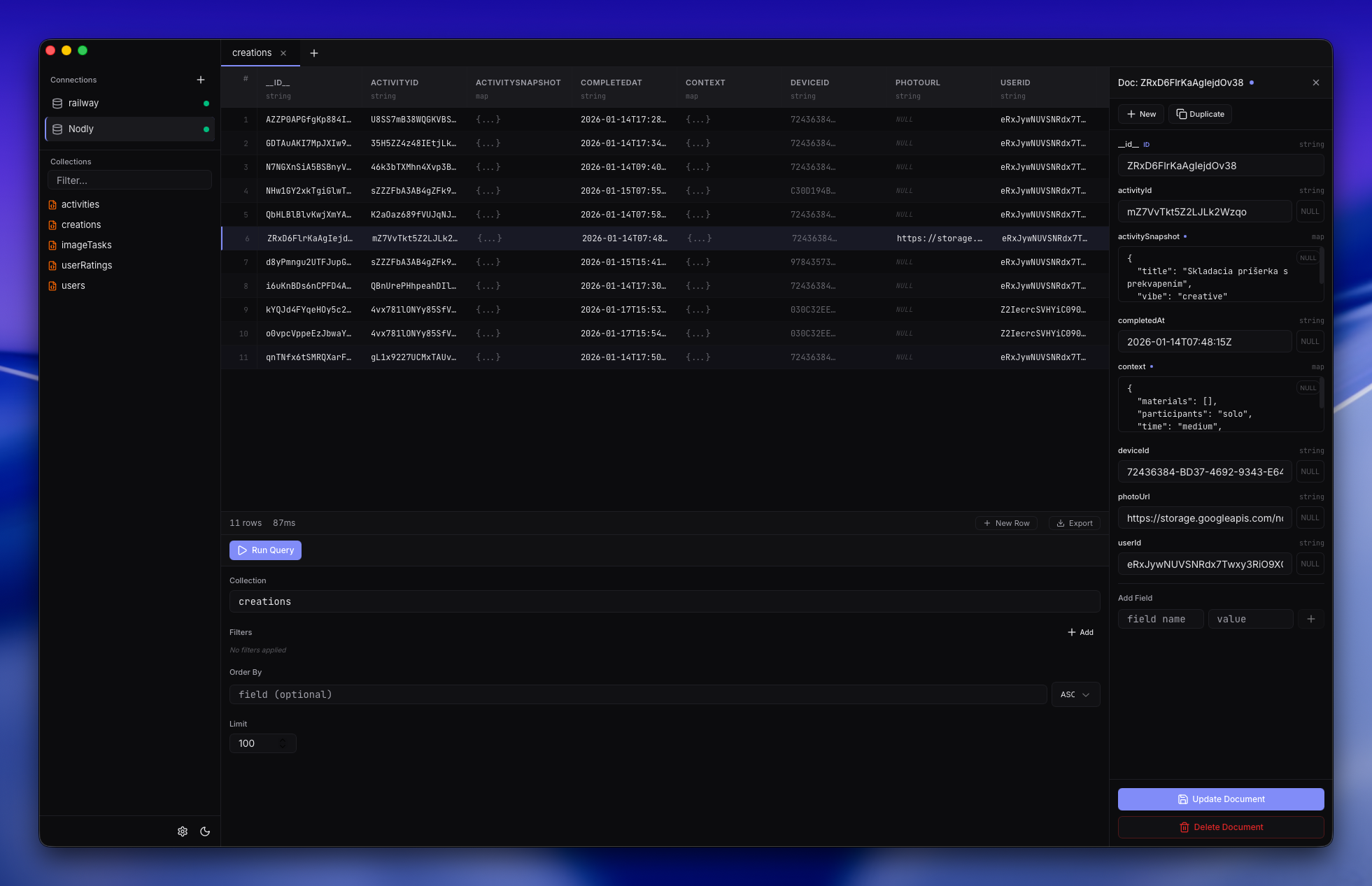
Queryline supports PostgreSQL, MySQL, SQLite, and Google Firestore. Connect to any of these from a single app with the same fast, familiar interface.
When a query returns a large result set, Queryline automatically caches it locally and streams rows to the screen in small batches. This keeps scrolling and filtering fast, even with tens of thousands of rows. You don't need to configure anything — it just works.
All credentials are stored securely in your operating system's native keychain (macOS Keychain, Windows Credential Manager, or Linux Secret Service). They are never written to plain text files.
Yes! Queryline is free to download and use. Grab the latest release from our GitHub releases page and start querying in seconds.
Queryline runs on macOS, Windows, and Linux. Current builds target macOS, with more platforms coming soon.
Yes! You can export results to CSV, JSON, or SQL INSERT statements directly from the results panel. Just click the export button after running a query.
Queryline only renders the rows you can actually see on screen, no matter how large the result set. This means you can scroll through 100,000+ rows with zero lag — it feels the same whether you have 50 rows or 500,000.
Get help, share feedback, and connect with other Queryline users